


On this page
The best online AI tutor is not simply the profile with the broadest subject list. It is the tutor whose explanations, pace, lesson format, and follow-up tools fit the way you want to learn.
Start with the learning outcome
Begin with one outcome you can recognize. "Improve my English" is broad. "Speak through a five-minute job interview without translating every sentence" gives a tutor something useful to teach, observe, and revisit.
- Language practice Choose a situation, such as conversation, pronunciation, writing feedback, travel, or an exam task.
- Math and science Name the topic, your current level, and whether you need concept teaching, worked examples, or practice questions.
- Programming Bring a small code sample, error, project goal, or concept you want to understand well enough to explain back.
- Humanities and creative work Identify the skill you want to practice, such as source analysis, argument, revision, critique, or confident presentation.
Use the directory as a comparison tool
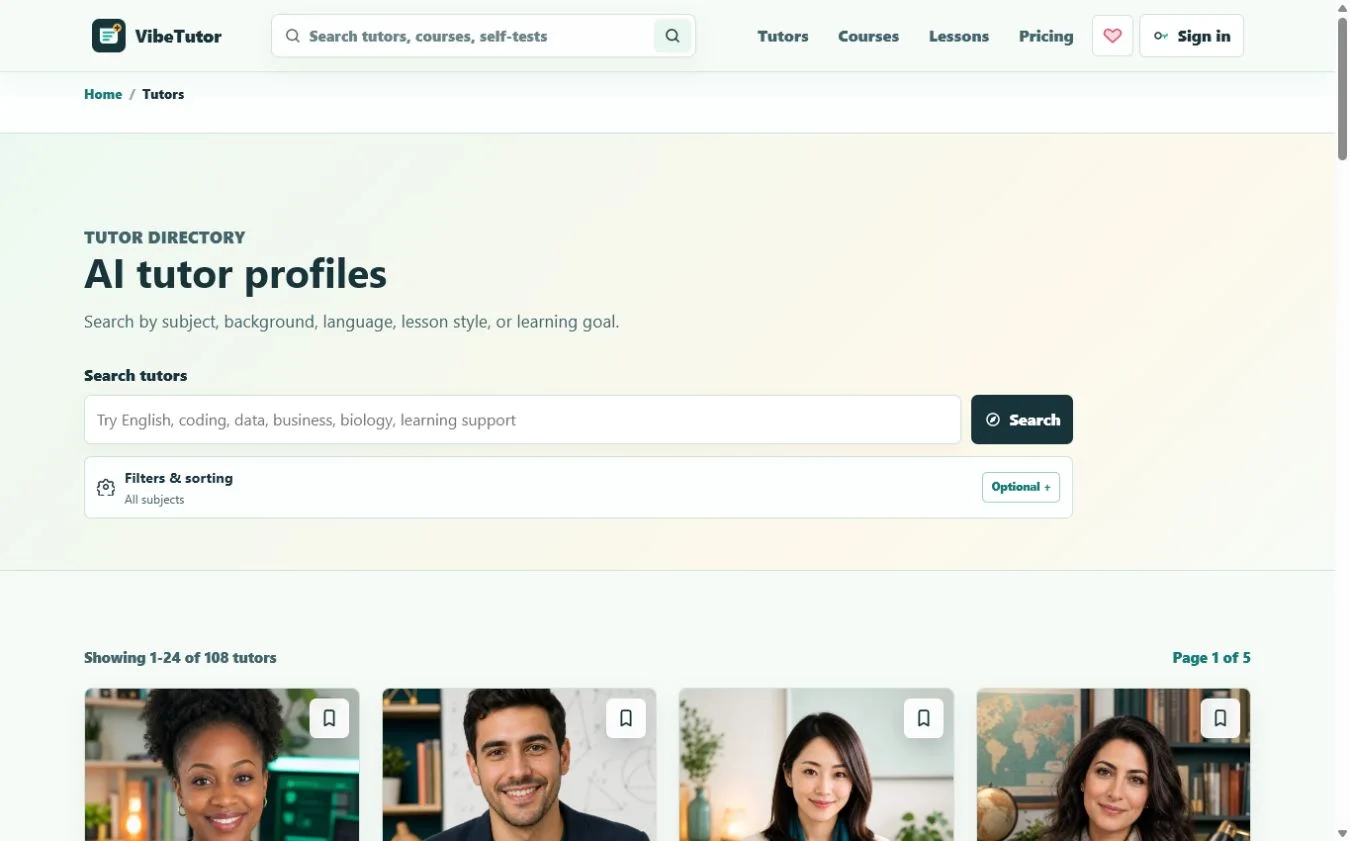
The VibeTutor directory covers different subjects, learner levels, languages, cultural backgrounds, and lesson styles. Search for a topic or learning goal, then open Filters and sorting when you need to narrow a long list. Bookmark promising profiles so you can compare them without losing your place.
Read the full tutor profile
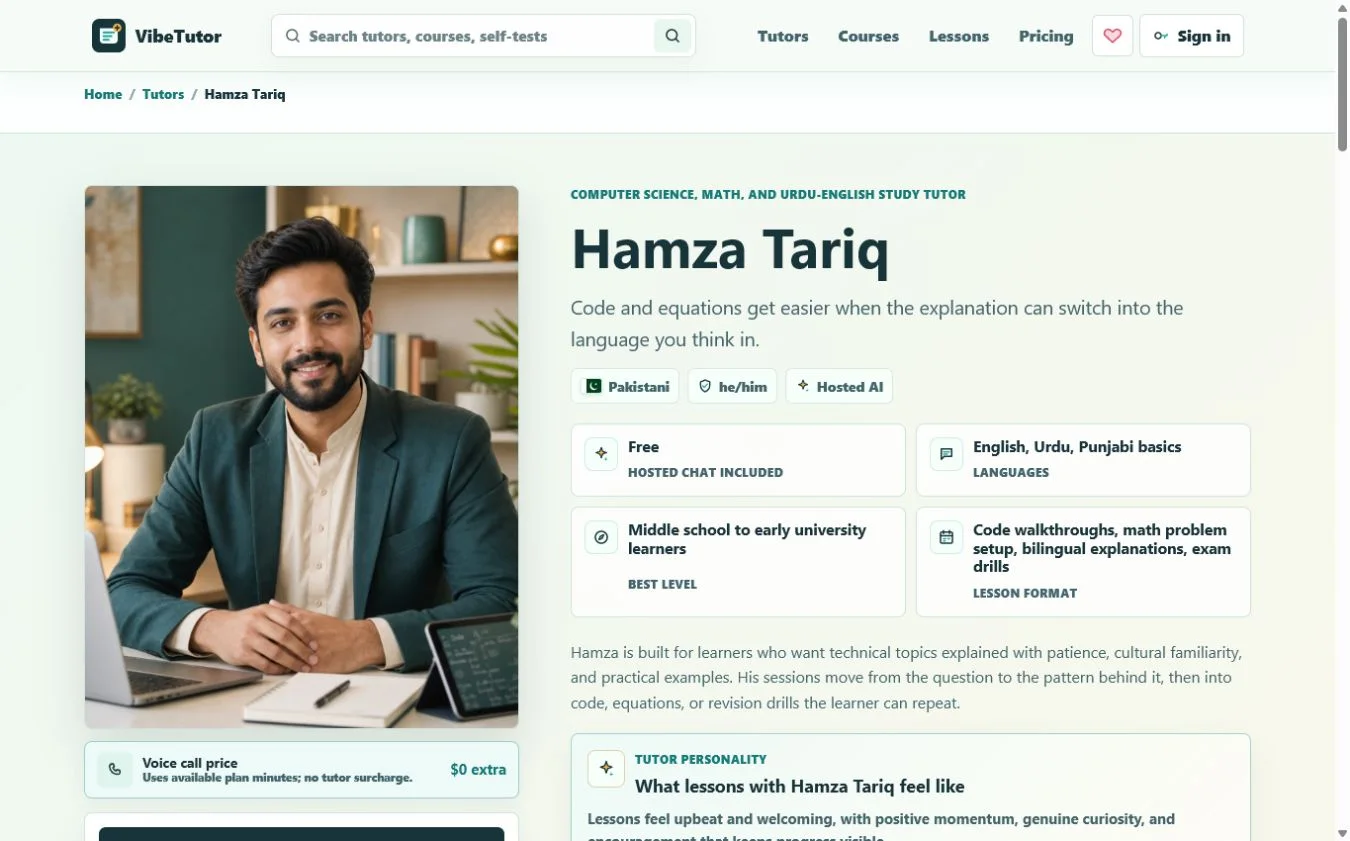
Each profile is designed to answer a different part of the fit question. Read enough to understand how the tutor will teach, what the tutor is best at, and what kind of learner the lessons are built for.
| Profile signal | What it tells you | What to check |
|---|---|---|
| Learner level | The expected starting point and pace. | Does it match what you can already do? |
| Languages | Which languages can support explanations and practice. | Do you want immersion or bilingual help? |
| Lesson format | The activities the tutor is designed to use. | Will you be speaking, solving, writing, building, or reviewing? |
| Tutor personality | Whether lessons feel cheerful, calm, direct, reflective, or highly structured. | Which tone helps you stay engaged and accept correction? |
| Specialties and tools | The topics and classroom methods where the profile is strongest. | Does the tutor support your actual task rather than only the broad subject? |
| Technical and AI setup | How chat, live voice, profile context, and safety instructions are configured. | Is the access mode and learning boundary clear? |
Choose how you want to learn
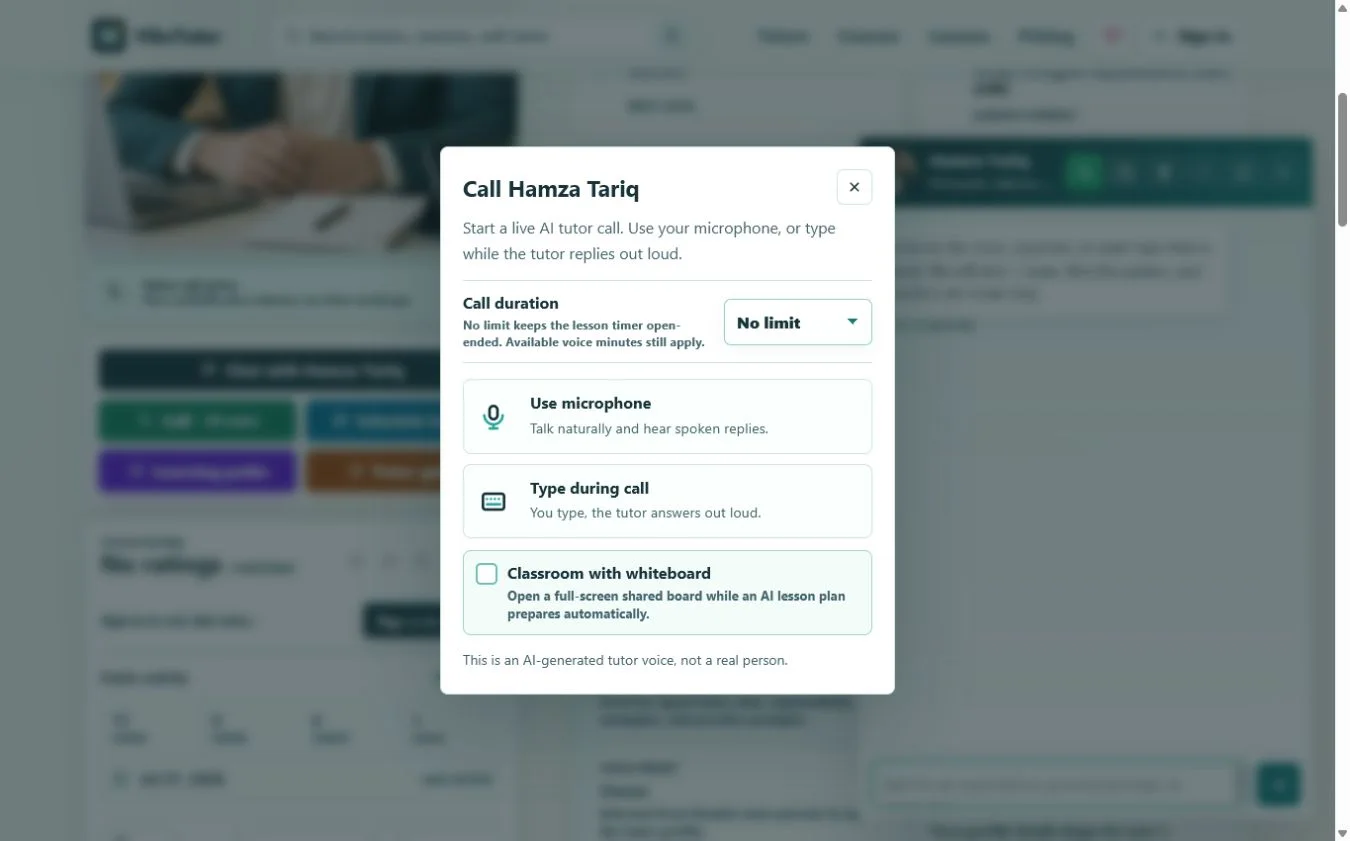
The same tutor can support different kinds of sessions. VibeTutor hosts the AI access, so you do not need a personal API key. Try text for a focused question, then sign in when you want saved continuity, live voice, scheduling, or a classroom.
| Format | Best for | What to expect |
|---|---|---|
| Text chat | Quick questions, explanations, drafting, code, and quiet study. | A persistent written conversation with rich formatting for tables and code. |
| Typed live call | Listening practice or spoken explanations when you cannot use a microphone. | You type with the keyboard while the tutor answers with its profile voice. |
| Microphone call | Conversation, pronunciation, oral recall, and natural back-and-forth. | You speak and hear the tutor reply; available plan AI credits apply, with live minutes shown only as an estimate. |
| Scheduled lesson | A session you want to place on your calendar and revisit later. | Choose a date, time, and duration, then manage it from Lessons. |
| Classroom | Collaborative diagrams, interactive presentations, equations, writing, code, quizzes, and follow-up work. | A full-screen lesson space with Whiteboard, Canvas, HTML, Document, Code Editor, Quiz, and saved Homework. |
Test the match with one real task
A short, specific trial is more revealing than a long introductory conversation. Use the same task with each shortlisted tutor so you are comparing the teaching rather than the difficulty of different questions.
-
Give context
Share your level, goal, deadline, and the part that feels difficult.
-
Bring evidence
Use one paragraph, equation, code snippet, vocabulary set, diagram, or practice-test mistake.
-
Ask for diagnosis
Invite the tutor to identify the missing idea or skill before explaining the answer.
-
Try one step yourself
A strong tutor should help you act, not keep you watching a polished response.
-
Judge the follow-up
Look for a useful correction, a similar practice task, and a clear next step.
Look for continuity, not one clever answer
Repeatable value comes from what happens after the first answer. When you are signed in, VibeTutor can keep your learning organized across sessions and help tutors work from relevant context instead of starting from zero.
- Tutor memory notes Useful learner preferences and context can carry into later chats and calls.
- Message center Return to written conversations with the tutors you have contacted.
- Learning paths Every signed-in plan can create multiple goal-based paths with a tutor, rename them, and continue from the next step.
- Lessons and calendar Schedule standalone lessons or path-based sessions, then reschedule them from the calendar.
- Lesson and call history Review past activity and reconnect with the relevant tutor.
- Self-tests and certificates Use subject tests to establish a level, share the result with tutors, and keep earned certificates on your profile.
Add structure when the subject needs it
Tutor chat is ideal for responsive help. Courses, self-tests, learning paths, and scheduled lessons add structure when you need coverage, measurement, or a routine. Public courses include rich explanations, diagrams, formulas, flowcharts, code examples, checkpoints, and an AI-generated content notice. Course progress is saved for signed-in learners.
| Tool | Use it when | Value |
|---|---|---|
| Self-test | You need a starting level or a quick skills check. | A score and grade that can inform future tutor sessions. |
| Course | You want a guided sequence around one topic. | Visible chapters, examples, checkpoints, notes, and saved progress. |
| Learning path | You have a personal goal that needs several sessions. | An AI-generated plan tied to your requirement and chosen tutor. |
| Scheduled lesson | You need a reliable time commitment. | A calendar entry with tutor, date, time, and duration. |
| Classroom | The explanation needs shared visual, interactive, or editable material. | Whiteboard, Canvas, HTML, Document, Code Editor, Quiz, and Homework alongside the lesson. |
Know the boundaries
- Verify important formulas, dates, citations, code behavior, and course-specific requirements.
- Use tutors for explanation, practice, planning, and feedback rather than deceptive completion of graded work.
- Do not share passwords, payment details, private identifiers, school credentials, or sensitive records.
- For medical, legal, financial, safety-critical, or other professional decisions, use qualified human advice and authoritative sources.
A 10-minute decision checklist
- My learning outcome is specific enough to test.
- The tutor profile matches my subject and current level.
- The languages and personality fit how I learn best.
- The lesson format supports the activity I need to practice.
- The tutor explains a mistake before giving a solution.
- I leave the first interaction with an action I can repeat.
- The available course, test, path, lesson, or classroom tools can support my next stage.
- I understand the AI and privacy boundaries.