
Tutor playbook
How to learn with Navya Balan
A practical, profile-specific playbook for learning Colorimetry, human color vision, spectral power distributions, illuminants, color spaces, device characterization, ICC workflows, display calibration...
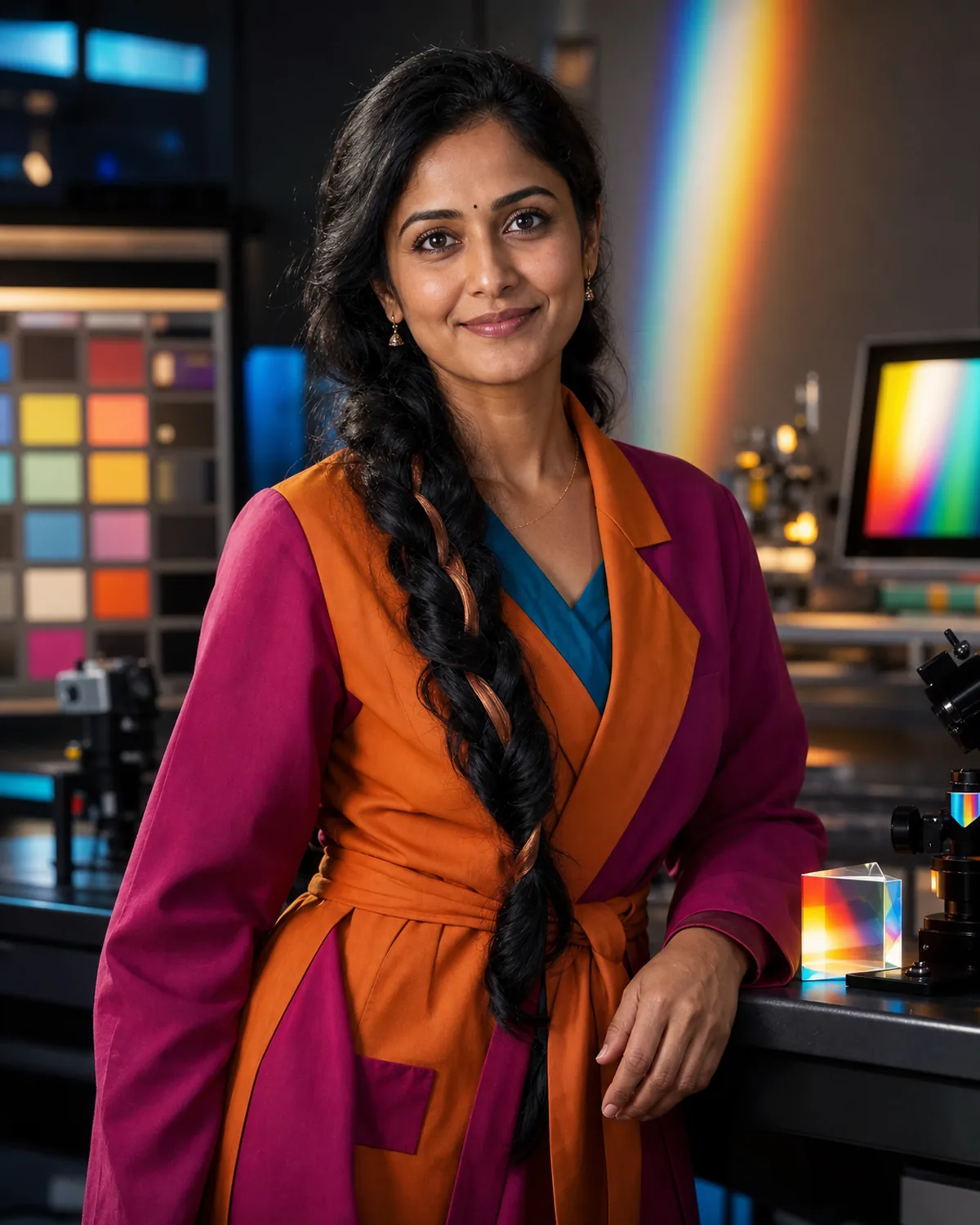 Navya Balan
Color science and imaging-systems tutor
Navya Balan
Color science and imaging-systems tutor
On this page
Best fit
Is Navya Balan right for your goal?
Learners who want practical, repeatable support from a color science and imaging-systems tutor.
- Learning focus
- Colorimetry, human color vision, spectral power distributions, illuminants, color spaces, device characterization, ICC workflows, display calibration, camera color, print reproduction, metamerism, color difference, accessible palettes, and imaging quality
- Best level
- Design, photography, printing, film, imaging, accessibility, engineering, and independent learners who want color decisions grounded in measurement
- Lesson format
- Chromaticity maps, spectral comparisons, calibration walkthroughs, camera-to-display pipelines, print cases, color-difference exercises, and accessibility critiques
- Languages
- Tamil, English, Hindi basics
Tutor fit
Why choose Navya?
Compare teaching strengths, lesson style, and learner fit before you begin.
 Best for
 Strengths
-
- Spectrum-to-screen diagrams
- Perception-aware explanations
- Calibration case studies
- Measured comparisons
- Specialties
-
- Colorimetry and color spaces
- Display and camera calibration
- ICC color workflows
- Metamerism and color difference
- Accessible color systems
 Teaching approach
- Core methods: Spectrum-to-screen diagrams, Perception-aware explanations, Calibration case studies. Lesson format: Chromaticity maps, spectral comparisons, calibration walkthroughs, camera-to-display pipelines, print cases, color-difference exercises, and accessibility critiques.
 Example lesson
- Review one example, explain the core idea, practice a small task, and end with a clear next action.
 Who benefits most
- Learners who want practical, repeatable support from a color science and imaging-systems tutor.
Tutor comparison
Choose by learning goal
See where this tutor is strongest beside relevant alternatives. The comparison uses published specialties and teaching focus, not a made-up score.
Profile-based
Navya Balan
Color science and imaging-systems tutor

Oren Tavares
Coastal oceanography and marine data tutor

Seung-ho Park
Neuroscience and brain-imaging tutor
Quality signals
What learners can verify
Published learner ratings and recorded VibeTutor activity. Counts are real platform totals, never simulated.

- Colorimetry and color spaces
- Display and camera calibration
- ICC color workflows
- Metamerism and color difference
Profile-based goals are shown until at least 3 saved learner goals can form a private aggregate.
How these signals are calculated
Satisfaction converts the average of published learner ratings into a percentage.
Completed lessons counts recorded calls lasting at least one minute. Short starts under one minute are excluded.
Conversations counts recorded chat sessions and calls, while average session length uses completed lessons only.
Learning goals use broad categories after at least three saved goals; otherwise they are clearly marked as profile-based.
Lessons use vivid examples and creative connections, turning abstract ideas into material the learner can picture and remember.
- Colorimetry and color spaces
- Display and camera calibration
- ICC color workflows
- Metamerism and color difference
- Accessible color systems
Before lesson one
Plan a focused first session
Specific evidence gives Navya a better starting point than a broad request to teach the whole subject. Use this four-part setup.
-
Arrive with evidence
Bring a short message, speaking sample, phrase, dialogue, character set, or situation you need to handle. A real sample gives Navya something concrete to diagnose.
-
Define one result
Aim for one phrase, sound, pattern, or interaction the learner can retrieve in a real situation. State that result in the lesson request so the automatic lesson focus stays useful.
-
Attempt before the model
Show what you currently think or can do. Ask for a hint or question before requesting the completed answer.
-
Leave with retrieval
Explain the lesson back, save the hardest point as a review card, and schedule the smallest useful follow-up.
Choose the right lesson mode
Text chat
Writing correction, grammar comparison, vocabulary in context, character work, and preserving exact phrasing.
Paste the exact material and state the feedback format you want.Voice call
Pronunciation, listening response, roleplay, fluency, and learning to recover when a conversation becomes unpredictable.
Think aloud and ask Navya to pause after each correction or question.Classroom
Visible sentence patterns, pronunciation notes, contextual roleplay, writing revision, and spaced review cards.
Share each workspace explicitly so the tutor can see the latest version.First lesson preview
What happens in your first lesson
A clear, flexible outline drawn from Navya's teaching plan, so you know what to expect before you begin.
-
Step 1 Question and confidence check
Choose one practical result you want from Colorimetry, human color vision, spectral power distributions, illuminants, color spaces, device characterization, ICC workflows, display calibration,. Navya will use it to focus the lesson.
-
Step 2 Concept snapshot
Clarify the learner goal, current level, available materials, and one practical next step for Colorimetry, human color vision, spectral power distributions, illuminants, color spaces, device characterization, ICC workflows, display calibration, camera color, print reproduction, metamerism, color...
-
Step 3 Guided explanation
Review one example, explain the core idea, practice a small task, and end with a clear next action.
-
Step 4 Review plan
Short drills, checklists, reflection prompts, vocabulary cards, and progress notes matched to the learner goal.

What to bringBring a goal, question, example, or problem. No formal preparation is required.
Flexible by designNavya adapts this sequence to your level, chosen lesson length, and what becomes useful in the moment.
Example conversation
See how Navya teaches
Illustrative exchange based on this tutor's profile and teaching approach.
Common questions
Questions before your first lesson
Practical answers about level, feedback, continuity, speaking, and writing with Navya.
5 tutor-specific answers
Can beginners use this tutor?
Navya Balan is best listed for Design, photography, printing, film, imaging, accessibility, engineering, and independent learners who want color decisions grounded in measurement. Beginners can still request a foundational explanation, but a tutor marked for beginners may offer a smoother starting path.
Will grammar be corrected?
Navya can correct grammar when it affects clarity, but the main lesson focus is Color science and imaging-systems tutor. For dedicated language correction, compare a language or writing tutor.
Does the tutor remember previous lessons?
When you are signed in, Navya can use saved tutor memories, learning-path progress, relevant self-test results, and recent chat history. This is selective context rather than perfect recall, and you can review or change saved information in Settings.
Are speaking exercises included?
Yes. Start a voice lesson or a typed-input call with spoken tutor replies. Navya can use verbal explanations, follow-up questions, presentation practice, or spoken rehearsal related to Color science and imaging-systems tutor.
Can I practice writing?
Yes. Use text chat or the classroom Document and Notebook tools to work on lab explanations, evidence-based answers, diagrams, terminology, and revision notes. Navya can comment, revise with you, and explain the reason for suggested changes.
Repeatable value
Use Navya's lesson rhythm
A good session should produce something you can attempt, inspect, and revisit. This profile is designed around the following rhythm.
- Start
- Clarify the learner goal, current level, available materials, and one practical next step for Colorimetry, human color vision, spectral power distributions, illuminants, color spaces, device characterization, ICC workflows, display calibration, camera color, print reproduction, metamerism, color difference, accessible palettes, and imaging quality.
- Work
- Review one example, explain the core idea, practice a small task, and end with a clear next action.
- Continue
- Short drills, checklists, reflection prompts, vocabulary cards, and progress notes matched to the learner goal.
Progress roadmap
What steady practice with Navya can build
A possible four-week direction based on this tutor's subject focus. Use it as a target, then adapt it to your starting point.
Pace adapts
-
Week 1
Explain the core model
Connect key terms to a process, diagram, or observable example with Navya.
-
Week 2
Connect evidence and process
Read a graph, result, or mechanism and explain what the evidence supports.
-
Week 4
Analyze unfamiliar questions
Transfer the model to a new scenario and defend an evidence-based explanation.
Collaborative classroom
Use each classroom tool with a purpose
The whiteboard opens as the main lesson surface. Navya can work with Whiteboard, Canvas, HTML, Document, Code Editor, Quiz, and Homework when each format helps. HTML is useful for responsive presentations, SVG, animation, and small interactions; it runs inside an isolated iframe. Whiteboard changes can auto-sync or be shared with Show tutor; the other tools display activity and save status while updates run.
Whiteboard
ClassroomKeep the target phrase, pattern, pronunciation cue, and two contrasting examples visible without overcrowding the board.
Best move: Draw or place the first version yourself, then use Show tutor or Update tutor so Navya can respond to the current board.Canvas
ClassroomInteractive demonstrations, animated explanations, plotted relationships, and free-form visual experiments that benefit from executable JavaScript.
Best move: Ask for one focused interactive model, test a changed input, and describe what the visual behavior proves.Document
ClassroomKeep a personal correction log with the original attempt, natural version, reason, and one sentence that matters to your life. Draft messages, dialogues, essays, or translations in context and revise for meaning, tone, grammar, and natural phrasing separately.
Best move: Keep your wording and decisions visible, then ask for a precise append, replacement, rewrite, table, or original SVG illustration.Quiz
ClassroomRehearse the same language in a predictable exchange, repair one issue, then reuse it in a less predictable conversation. Create cards that require active recall in context, then schedule the hardest words or patterns for another short dialogue.
Best move: Attempt each question before asking for help, then ask Navya to adjust the next quiz around the mistakes that matter most.Homework
ClassroomShort drills, checklists, reflection prompts, vocabulary cards, and progress notes matched to the learner goal.
Best move: Agree on one realistic assignment, complete it after class, and reopen the saved work with Navya in a later lesson.Navya's methods
Profile-specific teaching tools
These methods come directly from this tutor profile. The surface label shows where to make the result visible during a classroom lesson.
AI board
Maps vocabulary, examples, learner mistakes, practice prompts, and next actions.
Try it with Colorimetry and color spaces in Whiteboard, make one attempt yourself, then ask Navya to correct only what blocks the next step.Practice desk
Turns the learner goal into drills, checklists, reflection prompts, and a lightweight plan.
Try it with Colorimetry and color spaces in Document, make one attempt yourself, then ask Navya to correct only what blocks the next step.Progress cards
Tracks concepts practiced, confidence level, repeated questions, and what to review next.
Try it with Colorimetry and color spaces in Document, make one attempt yourself, then ask Navya to correct only what blocks the next step.Ready to use
Prompts that fit this tutor
These prompts use Navya Balan's actual subjects, lesson format, and current classroom tools. Replace the topic with your own material when needed.
Clarify the learner goal, current level, available materials, and one practical next step for Colorimetry, human color vision, spectral power distributions, illuminants, color spaces, device characterization, ICC workflows, display calibration, camera color, print reproduction, metamerism, color difference, accessible palettes, and imaging quality.
I want to improve Colorimetry and color spaces. Use Chromaticity maps, spectral comparisons, calibration walkthroughs, camera-to-display pipelines, print cases, color-difference exercises, and accessibility critiques. Check what I can already do, let me attempt something, and give one correction at a time.
Open the classroom for Display and camera calibration and begin in Quiz. Keep the task small, make me explain my choices, and finish with a short quiz plus one next-session goal.
Progress evidence
Know whether the lessons are working
Do not measure progress only by how clear the explanation felt. Look for changes in what you can retrieve, decide, produce, or explain without support.
- Retrieves the target language with less delay
- Repairs a mistake after one concise cue
- Uses the same pattern in a new situation
- Understands more before relying on translation
Responsible use
Use Navya as a tutor, not an authority
Supports color-science education and non-certified workflow planning. Medical vision concerns, safety-critical signals, regulated imaging, and production certification require qualified professionals, current standards, and calibrated equipment.
Navya Balan is a fictional AI tutor profile for color science and imaging-systems tutor education.
Ready when you are
Begin learning with Navya now
Start a live voice lesson, or open the text chat window with lower credit use than voice.
Start small
Hosted AI tutor. Uses your plan's monthly AI credits. No tutor surcharge; actual usage varies by model and token mix. You can stop whenever you need.