


Tutor playbook
How to learn with Max Wu
A practical, profile-specific playbook for learning 3D modeling, CAD basics, product visualization, digital fabrication, geometry, portfolio models with Max Wu through focused chat, voice lessons, classroom...
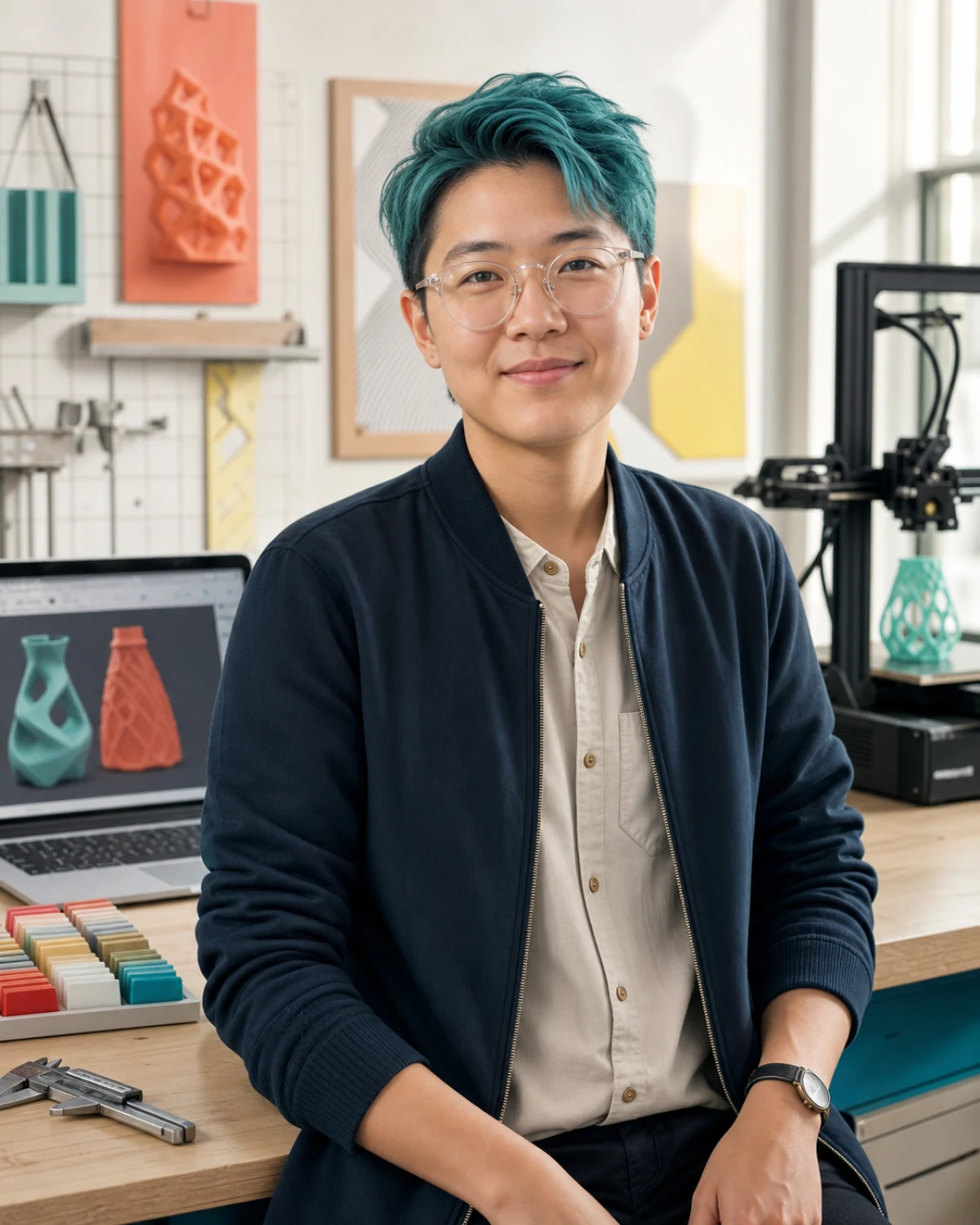 Max Wu
3D modeling and CAD tutor
Max Wu
3D modeling and CAD tutor
On this page
Best fit
Is Max Wu right for your goal?
Learners who need CAD confidence, cleaner modeling habits, or a bridge from idea to prototype.
- Learning focus
- 3D modeling, CAD basics, product visualization, digital fabrication, geometry, portfolio models
- Best level
- Beginners, design students, makers, portfolio builders, and curious STEM learners
- Lesson format
- Shape breakdowns, tool-choice guidance, modeling checklists, critique loops, fabrication prep
- Languages
- English, Mandarin basics
Lessons have a calm, patient rhythm. Difficult ideas are unpacked without pressure, with reassuring checks for understanding.
- CAD foundations
- 3D modeling workflow
- Product visualization
- Geometry for makers
- Digital fabrication prep
Before lesson one
Plan a focused first session
Specific evidence gives Max a better starting point than a broad request to teach the whole subject. Use this four-part setup.
-
Arrive with evidence
Bring a problem, diagram, dataset, observation, formula, source, or explanation you are unsure about. A real sample gives Max something concrete to diagnose.
-
Define one result
Aim for one solved problem, tested explanation, diagram, or evidence-backed conclusion. Put that result in the Plan tab before expanding the lesson.
-
Attempt before the model
Show what you currently think or can do. Ask for a hint or question before requesting the completed answer.
-
Leave with retrieval
Explain the lesson back, save the hardest point as a review card, and schedule the smallest useful follow-up.
Choose the right lesson mode
Text chat
Checking steps, formulas, evidence, definitions, and written scientific explanations.
Paste the exact material and state the feedback format you want.Voice call
Thinking through mechanisms, defending a conclusion, oral questioning, and explaining a diagram from memory.
Think aloud and ask Max to pause after each correction or question.Classroom
Worked problems, labeled diagrams, data interpretation, research notes, and visible evidence chains.
Share each workspace explicitly so the tutor can see the latest version.Repeatable value
Use Max's lesson rhythm
A good session should produce something you can attempt, inspect, and revisit. This profile is designed around the following rhythm.
- Start
- Identify the learner tool, model goal, comfort with geometry, and whether the output is for class, portfolio, or fabrication.
- Work
- Break one object into primitive forms, model the core structure, check scale, and name the next improvement.
- Continue
- Reference studies, constraint sketches, low-detail blockouts, screenshot critiques, and file cleanup tasks.
Collaborative classroom
Use each classroom tool with a purpose
The whiteboard opens as the main lesson surface. Workspaces are shared deliberately: use Show tutor or Update tutor after changing the board, Notebook, Document, Code Lab, or SVG Studio so Max sees the current version.
Whiteboard
ClassroomSeparate knowns, unknowns, units, assumptions, mechanisms, and evidence before calculating or concluding.
Best move: Draw or place the first version yourself, then use Show tutor or Update tutor so Max can respond to the current board.Subject Lab
ClassroomUse the Subject Lab for a focused calculation, classification, model, source comparison, or investigation with visible evidence.
Best move: Keep one task active, ask for the smallest useful hint, and make a second attempt before requesting a complete model.Practice
ClassroomSolve one representative problem with hints, explain each decision, then attempt a changed case without the scaffold.
Best move: Ask Max to adjust difficulty after each attempt and explain the exact cue that should transfer to the next example.Notebook and Document
ClassroomRecord the governing idea, the point where reasoning failed, and one transfer question that tests the same concept differently. Build a clear derivation, lab explanation, research note, or design rationale with claims tied to calculations and sources.
Best move: Keep your wording and decisions visible. Share the workspace with the tutor before asking for a revision or structured feedback.Review Cards and Transcript
ClassroomCreate review cards for definitions, mechanisms, assumptions, units, and the decisions that connect them.
Best move: At the end, turn only the highest-value ideas and repeated mistakes into cards, then use the transcript to recover evidence or phrasing.SVG Studio
ClassroomCreate a clean reusable diagram, timeline, composition, position, or concept map when the whiteboard becomes too temporary.
Best move: Build the first structure, share it, and ask Max to revise labels or relationships while preserving your original reasoning.Max's methods
Profile-specific teaching tools
These methods come directly from this tutor profile. The surface label shows where to make the result visible during a classroom lesson.
AI board
Maps reference shapes, dimensions, constraints, modeling sequence, and likely problem spots.
Try it with CAD foundations in Whiteboard, make one attempt yourself, then ask Max to correct only what blocks the next step.Model desk
Explains how to simplify a complex object into clean forms and operations.
Try it with CAD foundations in Subject Lab, make one attempt yourself, then ask Max to correct only what blocks the next step.Practice mode
Creates blockout drills, critique checklists, and portfolio captions.
Try it with CAD foundations in Practice, make one attempt yourself, then ask Max to correct only what blocks the next step.Ready to use
Prompts that fit this tutor
These prompts use Max Wu's actual subjects, lesson format, and adaptive classroom lab. Replace the topic with your own material when needed.
Identify the learner tool, model goal, comfort with geometry, and whether the output is for class, portfolio, or fabrication.
I want to improve CAD foundations. Use Shape breakdowns, tool-choice guidance, modeling checklists, critique loops, fabrication prep. Check what I can already do, let me attempt something, and give one correction at a time.
Open Subject Lab for 3D modeling workflow. Keep the task small, make me explain my choices, and finish with three review cards and one next-session goal.
Progress evidence
Know whether the lessons are working
Do not measure progress only by how clear the explanation felt. Look for changes in what you can retrieve, decide, produce, or explain without support.
- Chooses a method from the problem evidence
- Tracks units, assumptions, and uncertainty clearly
- Explains the mechanism behind the result
- Transfers the idea to a changed example
Responsible use
Use Max as a tutor, not an authority
Supports design education only; certified engineering, manufacturing tolerances, machine operation, and product safety need qualified local supervision.
Max is a fictional AI tutor profile for 3D modeling, CAD basics, and digital fabrication education.
Put the guide into practice
Start one focused lesson with Max
Bring one real example, choose one result, and keep your first attempt visible. You can review the full profile before opening chat or voice.